
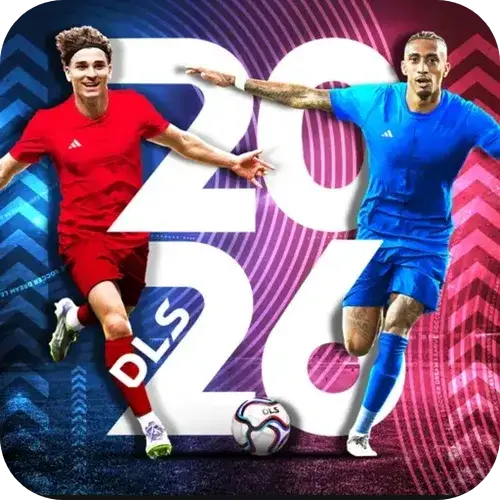
DLS APK is the installable Android package for Dream League Soccer, the football management game from First Touch Games. “APK” simply stands for Android Package Kit — it’s the file format Android uses to install any app, whether it comes from the Play Store or a direct download. When people say “DLS APK,” they usually mean one of two things: the official installer for the latest release, or an older version they want because their device can’t run the newest one smoothly.
📱 App Name
📦 Size
🔖 Version
⚙️ Required
👨💻 Developer
DLS APK
355.85 MB
13.410
Android 6.0 Or Up
First Touch Games Ltd.
DLS Apk Review
Summary
DLS APK offers a smooth and enjoyable football experience with impressive graphics, responsive controls, realistic gameplay, and plenty of customization options. With engaging game modes and online multiplayer, it provides a well-rounded experience for both casual and competitive players.
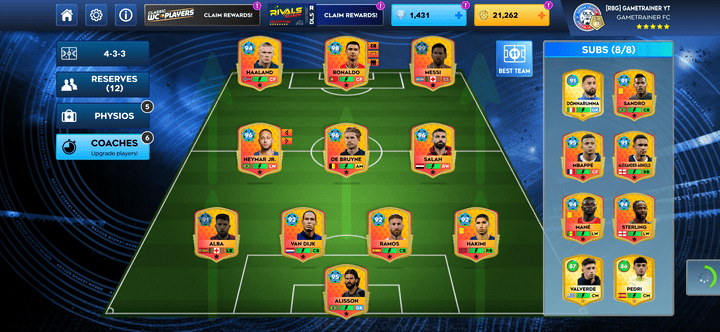
Dream League Soccer puts you in charge of building a club from the ground up — signing players, running training, designing kits, upgrading your stadium, and playing full matches with a roster pulled from thousands of FIFPro-licensed players. It’s been through more than a decade of yearly releases, which is exactly why “DLS APK” search demand doesn’t sit on one version. People are still downloading DLS 19 and DLS 21 right alongside DLS 26.
DLS APK Latest Version
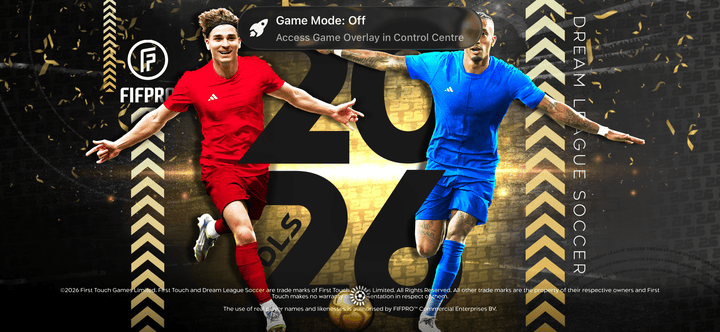
The current release, DLS 2026 (also written as DLS 26), brings updated squads and transfers, refreshed Dream Stars cards, clan and leaderboard improvements, and general performance polish over last year’s build. Like every recent release, it needs a reasonably modern device to run well.
What you’ll typically need:
- Android 8.0 or higher (check the specific build’s requirements before installing)
- Roughly 150–250 MB of free storage for the base install, more once the OBB data file is added
- A stable connection for the first launch, since the game pulls additional data and licensing checks on setup
If your phone is a few years old or you’re short on storage, an older version might actually run better — which is the whole reason this guide covers more than just the newest release.
Download Older DLS Versions
A lot of players deliberately look for older builds. Sometimes it’s a low-end device that can’t handle the current file size. Sometimes it’s nostalgia for an older squad list or an interface people preferred. Whatever the reason, here’s how the recent version history breaks down.
DLS 25, DLS 24, and DLS 23
These three sit in the “recent but not current” bracket. They’re smaller downloads than DLS 26, still reasonably close to modern graphics quality, and generally a safer bet for mid-range phones from the last few years. If your device struggles with the newest install, DLS 24 is usually the sweet spot between file size and features.
DLS 21 and DLS 19
These older builds remain some of the most searched versions, largely because they run comfortably on budget or older Android phones. They’re lighter installs with simpler graphics, but the core management gameplay — training, transfers, matches — is all there. If your device is on the older side, don’t assume you’re stuck with a laggy version of the newest game; going back a few years often solves the problem completely.
Archive Versions (2015–2018)
For anyone chasing a very specific old release — DLS 15 through DLS 18 — these still show up in search regularly. They’re mostly relevant now for legacy devices or players who want the exact version they grew up playing. Availability for these is more limited than recent versions, so expect fewer verified sources.
DLS Version Comparison
If you’re not sure which version actually fits your device, this side-by-side should help more than guessing.
Exact file sizes and Android version requirements vary by build and source — always check the listing on your specific download before installing. The pattern above holds consistently: newer versions are heavier and need more recent Android builds, older versions are lighter and more forgiving on older hardware.
System Requirements by Version
A rough guide to matching your device to a version, beyond just file size:
- DLS 26 / DLS 25 — best on a phone from the last 2–3 years with decent free storage. Older chipsets can run it, but expect longer load times and occasional frame drops during busy match moments.
- DLS 24 / DLS 23 — a good match for mid-range phones, including ones that are starting to show their age. Noticeably lighter than the current release without losing much of the core experience.
- DLS 21 / DLS 19 — built for a much wider range of hardware, including older budget phones. If your device is genuinely struggling with anything newer, this is where to look first.
- Archive versions — mainly relevant if you’re specifically after an old build rather than trying to solve a performance problem; newer low-end phones will usually handle DLS 19 or 21 fine without needing to go further back.
If you’re unsure, a safe rule of thumb: try the version one or two years back from current before jumping straight to an old archive build. It’s usually enough to fix performance without giving up much in features.
Is the DLS APK Safe to Install?
This is the question that actually matters most, and it deserves a straight answer rather than a vague “always be careful” disclaimer.
An APK by itself isn’t dangerous — it’s just a file format, the same one every Android app uses. The risk depends entirely on where the file comes from. A file sourced from the developer or a well-established, verified mirror carries the same risk as installing from the Play Store. A file from an unknown site with no verification carries real risk: malware, ad injection, or a modified game that behaves in ways you didn’t sign up for.
A few habits keep you safe regardless of where you download from:
- Check the file size against the official listing before installing — a build that’s drastically smaller or larger than expected is a red flag.
- Only enable “install from unknown sources” temporarily, for the install itself, then turn it back off.
- Run a security scan on the file if your antivirus app supports APK scanning.
- Be skeptical of anything promising unlimited coins or diamonds bundled into the installer — that’s the clearest sign you’re looking at a modified file, not the original game.
Worth addressing directly, since it’s one of the most common points of confusion. The standard DLS APK is the unmodified game exactly as First Touch Games built it — same progression, same in-app purchases, same rules as the Play Store version. A “MOD APK” is a version altered by a third party, usually to unlock unlimited in-game currency or remove restrictions.
Mod files come with real downsides beyond the malware risk mentioned above: they often break with game updates, they can get your account flagged or banned in online modes, and there’s no way to verify what else was changed in the file besides the advertised “unlimited money.” If you’re weighing convenience against those risks, it’s worth going in with clear eyes rather than assuming a mod is a free shortcut with no cost.
How to Install the DLS APK
The process is the same regardless of which version you’re installing:
- Download the file to your device from a verified source.
- Open your device settings, find Security (or Apps, depending on your Android version), and allow installs from the source you’re using.
- Locate the downloaded file in your file manager or notifications and tap it to begin installation.
- If an OBB or data file is included, follow the specific placement instructions that came with your download — this usually means moving it into an Android/obb folder before the first launch.
- Launch the game and allow it to finish any first-time setup or download before playing.
- Turn “unknown sources” back off once installation is complete, as a general security habit.
Frequently Asked Questions
Is DLS APK free?
Yes. Dream League Soccer is free to download and play, with optional in-app purchases for certain in-game items.
Why do I need a separate OBB file?
Larger Android games split their install into two parts — the APK, which contains the app itself, and an OBB file, which holds larger assets like graphics and audio. Both are needed for the game to run correctly.
Can I still download DLS 19 or older versions?
Yes, though availability narrows the further back you go. These older builds remain popular with players on older or lower-storage devices.
Does the DLS APK work without Wi-Fi?
The core game can be played offline after the initial setup, though some features like online matches, leaderboards, and certain updates require a connection.
What’s the difference between DLS APK and downloading from the Play Store?
Functionally, an unmodified DLS APK is identical to the Play Store version — same game, same progression. The APK route exists mainly for devices, regions, or storage situations where the Play Store isn’t a workable option.
Is a MOD APK with unlimited money worth the risk?
That’s a personal call, but it’s worth knowing what you’re trading: unverified file safety, a real chance of losing progress or getting banned, and no guarantee the mod will keep working after the next update.